Look Mom, a Sandbox!
A New Adventure
In my last blog post I created a Python script that uses Selenium and the undetected-chromedriver to visit potentially malicious webpages and see what is happening. Over the past week I have been thinking, "how can I extend this further"? While it is nice to get to the final page, being overly curious I wanted to see the things that don't show up (what is loading on the page, where are my requests going, etc). With that in mind this is where the adventure begins.
Proxy for the Win
There was really only a single tool that I could think of that would work for what I was envisioning - and that tool would be mitmproxy. As the website states, it's the "swiss-army knife for debugging, testing, privacy measurements, and penetration testing". What made it even better was I could easily incorporate the use of the proxy in the Python code, simply one line would shift all of the traffic through mitmproxy allowing me to analyze everything with ease.
options.add_argument("--proxy-server=http://127.0.0.1:8080")
The installation for mitmproxy can be found on the website, once you have it running it will automatically run through localhost on port 8080.
Side note: I tested everything in this script on a couple different websites to ensure that I was not actually downloading the files when I went to click on them in the Selenium window.
Getting into the weeds
With everything setup and working properly, I jumped into the deep end and navigated to a URL that may or may not be malicious. And what I found was pretty interesting. The URL that I used was one that showed up in the Flare platform as a dnstwist (or domain look alike), or a domain that could possibly pass if a person is not paying attention as a company domain.
Once the Selenium window opened, I was instantly on a landing page that checked to make sure that I was indeed a human.
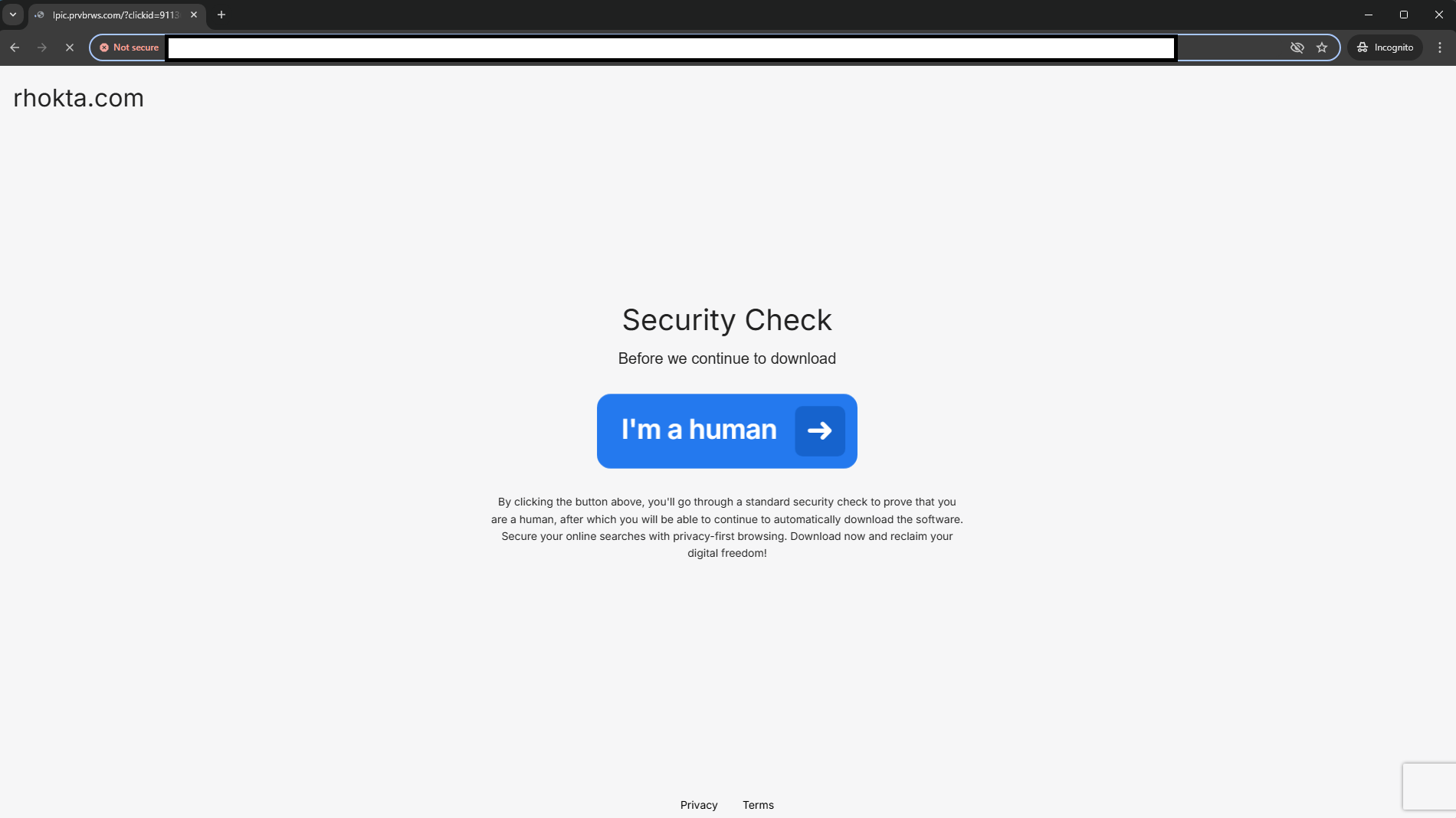
I blanked out the URL because I noticed something very interesting about this site as I was interacting with it.
We 100% clicked through cause why not, whats the worst that happens? The page we were redirected to was cilp.ntgrd.net, and running that URL through VirusTotal (see link) determined that the domain itself was "not malicious", however a few vendors have marked the domain as suspicious. Mitmproxy caught some great traffic however. This first thing that caught my eye was the page loading in a JavaScript file called protection.min.js.
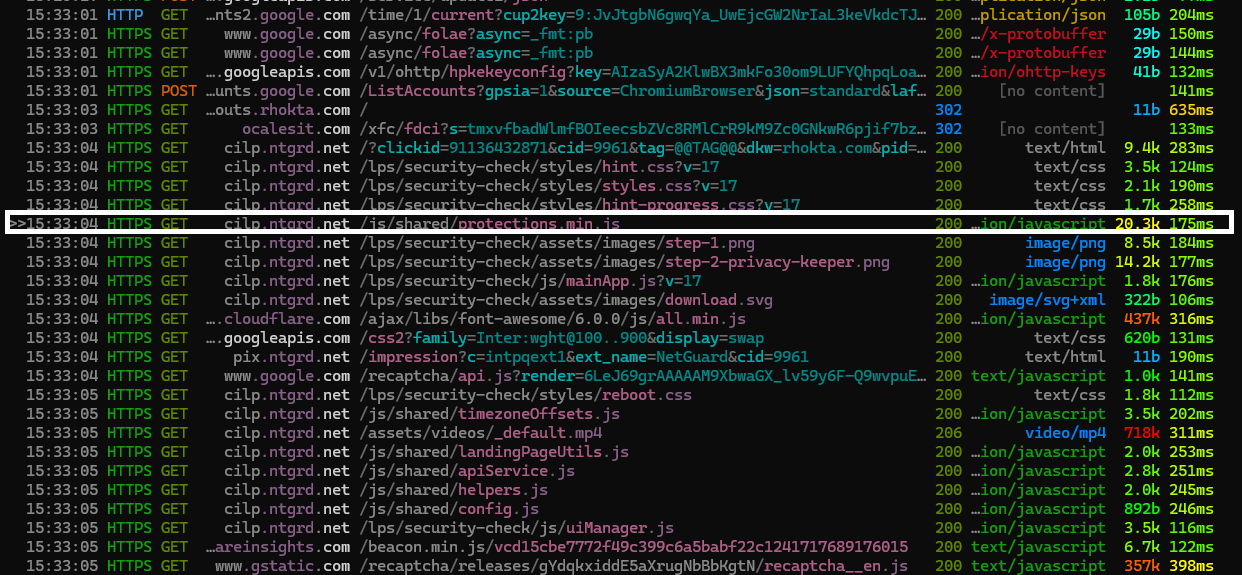
Clicking into the request and scrolling through the response, the JavaScript looked completely obfuscated. It used a combination of hexadecimal and string lookup obfuscation to make the code look like a blob of nothingness.
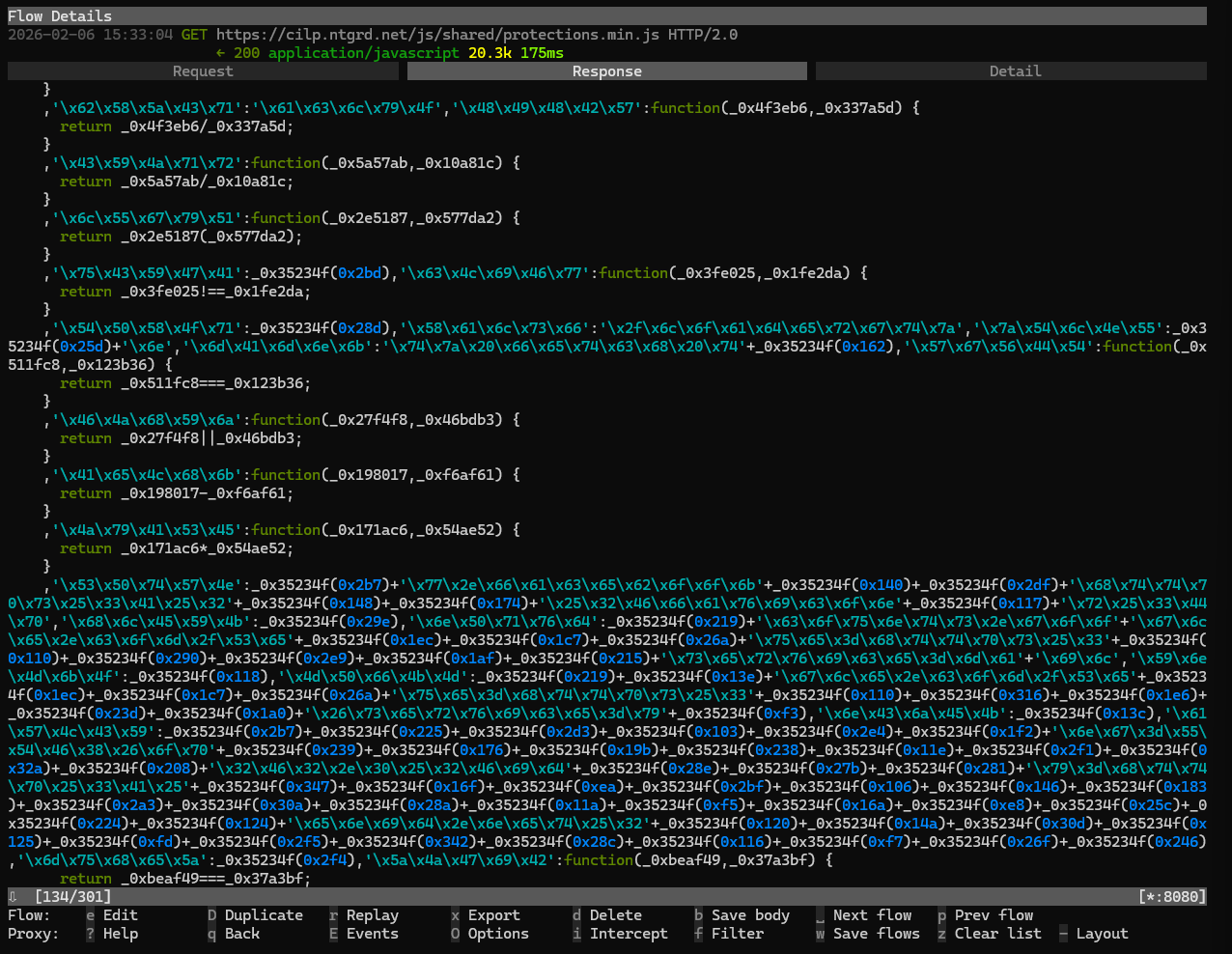
I created a quick and dirty hexadecimal decoder to snuff out the \x53\x50\x74\x57\x4e parts of the code, mainly cause that can be an easy win since we will hopefully get back some normalized strings. Since the mass majority of this JavaScript is obfuscated my guess is they used a service like Obfuscator Io to mask the entire code. I was able to pickout a few strings at the bottom of the JavaScript file.
_Selenium
_WEBDRIVER
_phantom
isBot
Based on the findings from decoding and the name of the file protections we can assume this file is some sort of bot detection for the website. I ended up running the URL through Any.Run and the response that I got one that website was way different then what I was getting using this script.
The Landing Page
After passing the "security check", we get to the landing page. Initially once the page loads - it instantly starts the download, this can be seen in the mainApp.js GET request in mitmproxy.
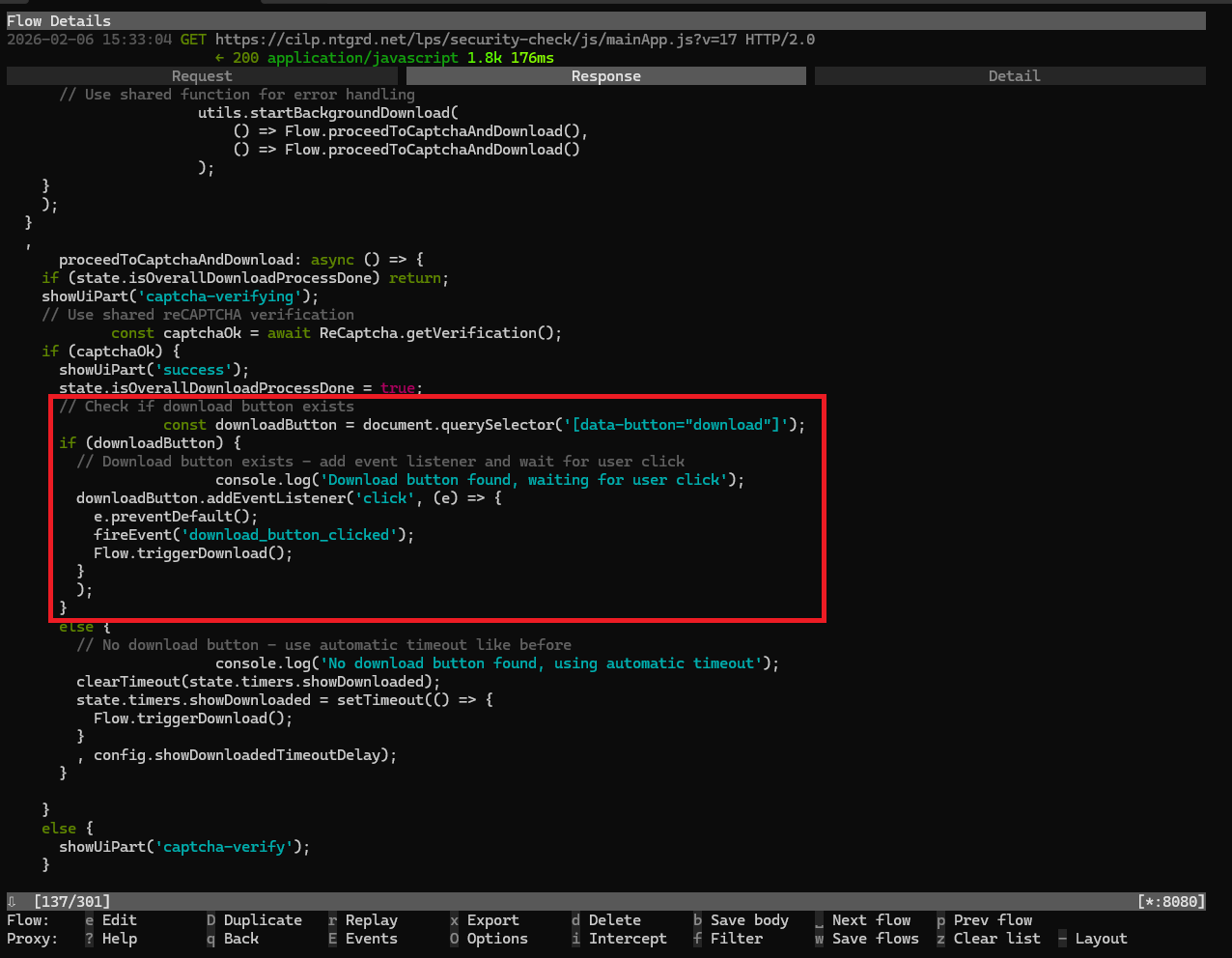
What I found interesting on the page was once it hit 85%, the page tossed up a hint in the corner for users so they can click on the download button in Chrome and begin the installation of the actual payload.
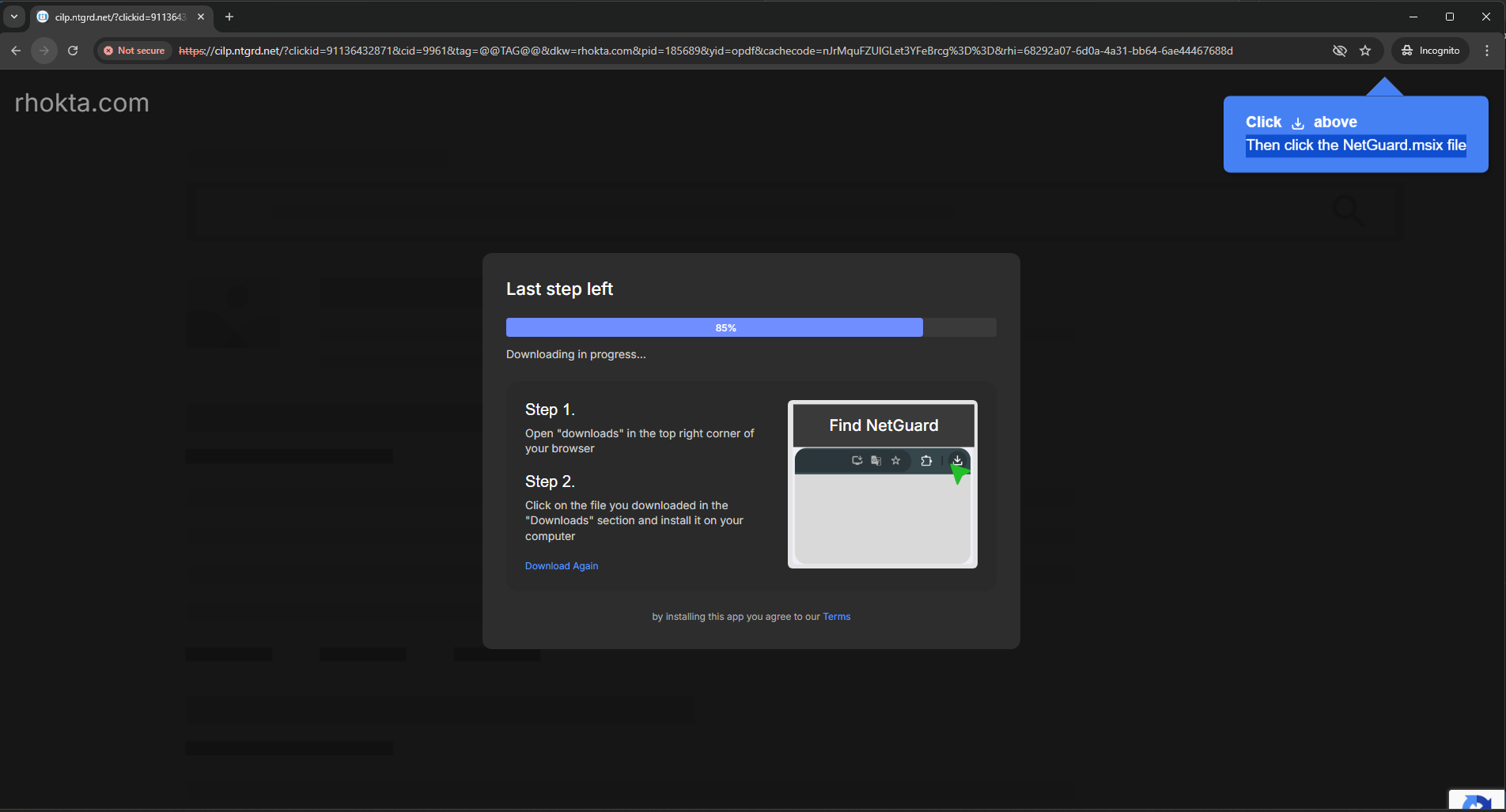
The Real Payload
After sitting for 30 seconds trying to click the "Download Again" button with no avail. Once my window close I started scrolling through mitmproxy and in the flow I saw octet-stream and was instantly curious especially since it came from file.ntgrd.net. Opening the actual details in mitmproxy we are able to see everything in the response.
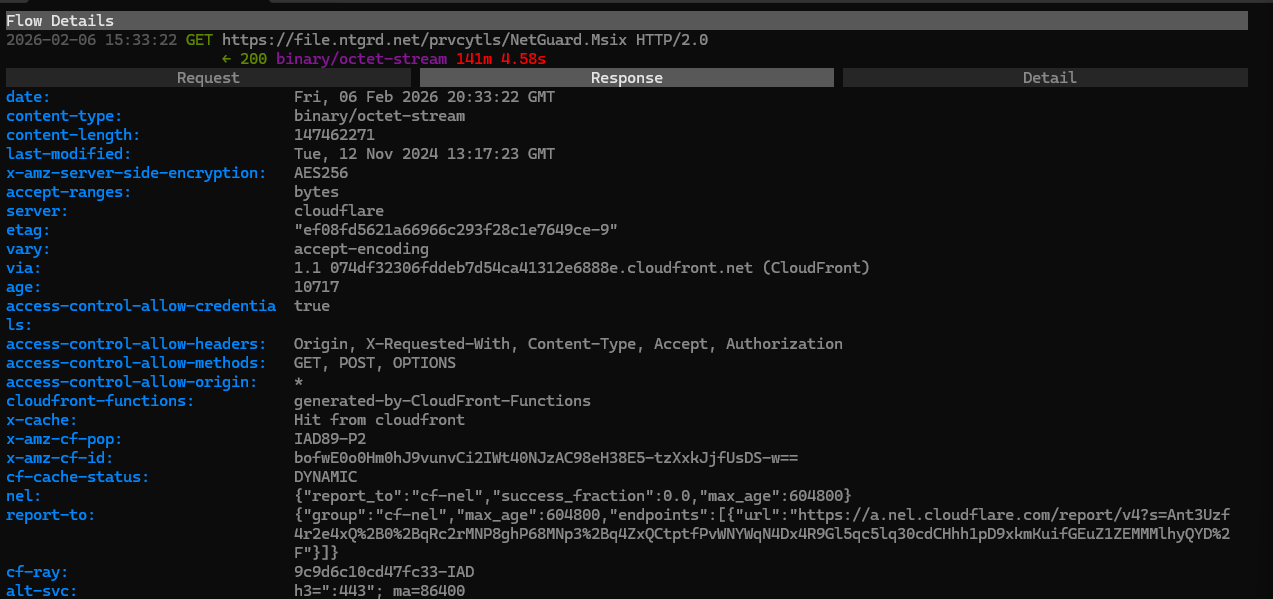
In the response we get quite a bit of good information - we can see that the file is around 147.46 MB (pretty good size), the file came from an AWS S3 bucket (this can be determined by the x-amz-server-side-encryption header), and the file has been sitting in that S3 bucket unchanged for a little over two years. But one of my favorite things about mitmproxy is that it provides you a glimpse into what the file is via a Hex Dump. Using that we can take a little look into the NetGuard.Msix file.An Msix file if you haven't seen them before are Microsoft's newest app package format that combines features from MSI, AppX and App-V. So basically its a nice little one click easy download good to go type of file.
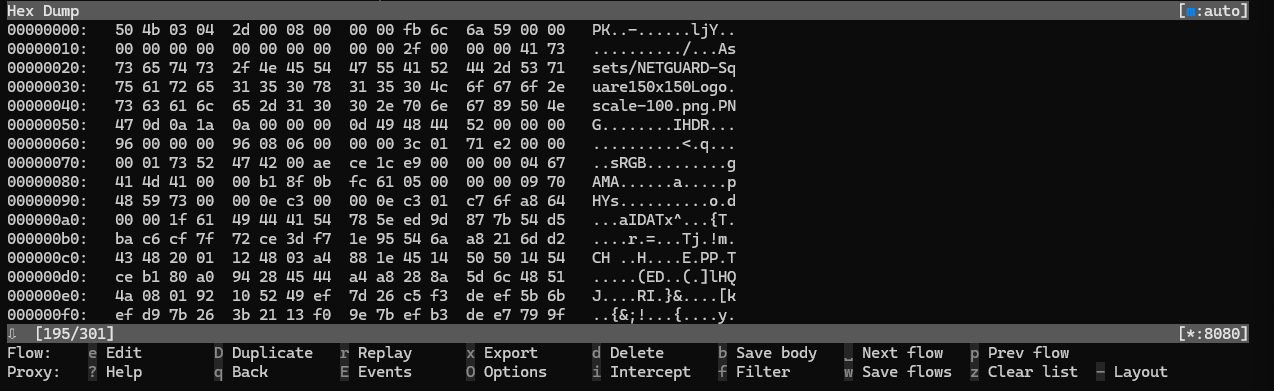
Starting with the magic bytes we see PK, the magic bytes is normally used to determine what you are actually working with. Since this was a pretty large file I used strings on the output just to see if there was anything readable in the dump. Cutting through alot of the slop using strings -a -n 12 -t x NextGuard.txt > better_output.txt I saw the following.
8ca1142 VFS/AppData/NetGuard/node_modules/yallist/LICENSEPK
8ca11a1 VFS/AppData/NetGuard/node_modules/yallist/package.jsonPK
8ca1205 VFS/AppData/NetGuard/node_modules/yallist/README.mdPK
8ca1266 VFS/AppData/NetGuard/node_modules/yallist/yallist.jsPK
8ca12c8 VFS/AppData/NetGuard/node_modules/yallist/iterator.jsPK
8ca132b VFS/AppData/NetGuard/nw.dllPK
8ca1374 VFS/AppData/NetGuard/nw_100_percent.pakPK
8ca13c9 VFS/AppData/NetGuard/nw_200_percent.pakPK
8ca141e VFS/AppData/NetGuard/nw_elf.dllPK
8ca146b VFS/AppData/NetGuard/package.jsonPK
8ca14ba VFS/AppData/NetGuard/storage.jsonPK
8ca1509 VFS/AppData/NetGuard/resources.pakPK
8ca1559 VFS/AppData/NetGuard/v8_context_snapshot.binPK
8ca15b3 VFS/AppData/NetGuard/vk_swiftshader_icd.jsonPK
8ca160d VFS/AppData/NetGuard/vk_swiftshader.dllPK
8ca1662 VFS/AppData/NetGuard/vulkan-1.dllPK
8ca16b1 VFS/ThisPCDesktopFolder/NetGuard.lnkPK
8ca1703 AppxManifest.xmlPK
8ca1741 AppxBlockMap.xmlPK
8ca177f [Content_Types].xmlPK
8ca17c0 AppxMetadata/CodeIntegrity.catPK
8ca180c AppxSignature.p7xPK
NetGuard per the website is "A simple way to block access to the internet per application". The code is open source, but the application itself is only for Android and it does not have any installations for Windows. So the packages that I am seeing are not going to be anywhere in the code - meaning that everything that I am seeing is more than likely malicious. But without the actual download I am not 100% able to determine that - but one can assume.
Wrapping Up
Overall it was a really cool experiment and being able to create some code that allows me to go all the way through something malicious without it affecting my host system. Now I will caveat that I was running this on a toss away laptop, with zero data on it but prior to that I was testing on my main system and nothing that I attempted to download made it to disk, so i'd say go crazy but just be careful.
The script can be found here, if you have any suggestions or anything just let me know - this is something that I am always going to be tinkering with.